
Best llms.txt Plugins for WordPress (Free and Paid, Tested)
Search “llms.txt” in the WordPress plugin directory and you’ll get somewhere north of a hundred results. Most of them do the same thing: read your published posts, write a Markdown list, serve it at /llms.txt. A few do meaningfully more. Several were abandoned within months of launch. And two of the most-used options aren’t standalone plugins at all — they’re switches inside SEO plugins you probably already run.
I’ve installed and looked through the code of every plugin below. I also wrote one of them, which I’ll get to.
Disclosure: AITooler Bot Analytics, listed near the end, is my plugin. I’ve tried to hold it to the same standard as the others, including being upfront that almost nobody has installed it yet. If you think I’ve been soft on it, the comments are open.
First, Check Whether You Already Have One
Before adding anything, look at what your SEO plugin ships. If you’re on Rank Math or Yoast, an llms.txt feature is already sitting in your dashboard, and for a lot of sites it’s enough.
Rank Math (built in)
Rank Math ships an LLMS Txt module. You enable it from Rank Math SEO → Dashboard, toggle the module on, and the file appears at your site root. The settings let you pick post types and add a description block at the top. Rank Math’s own documentation is careful to note that llms.txt is currently a proposal rather than an official standard, and that adoption across AI platforms is still limited — which is more honesty than most standalone plugins manage.
Where it falls short: you don’t get llms-full.txt, and there’s no visibility into whether any AI crawler ever fetches the file. But if you’re already on Rank Math and you want the minimum viable version, this is it. I run it on some of my own sites and haven’t found a reason to replace it on the simpler ones.
Yoast SEO (built in)
Yoast added llms.txt as a toggle under its AI tools section. Turn it on, save, done. There’s a manual page-selection mode if you want to curate the list rather than accept the defaults.
The complaint I keep seeing, including in a review on the Website LLMs.txt plugin page from someone who’d used Yoast for over a decade, is that the generated file is thin — a handful of posts and pages rather than a proper index. Yoast’s help documentation also notes the feature isn’t available on multisite. If you have a large content library or a network, you’ll outgrow it quickly.
The Standalone Plugins
Website LLMs.txt
This is the one most people end up with, and the install count is deserved. It integrates with Yoast, Rank Math, SEOPress and AIOSEO for noindex detection, handles WooCommerce catalog visibility, supports WPML and multisite, and has enough filters that developers can bend the output without forking it. The update cadence is fast — the changelog shows a security fix series across 8.5.4 through 8.5.6 that closed a real problem where membership-gated content could leak into the public file. That’s the kind of thing you want a maintainer to catch, and they did.
Two things worth knowing. First, it generates llms.txt only — no llms-full.txt. The most recent review on the plugin page (August 2026) asks for exactly that. Second, and this surprised me: version 8.5.0 removed the plugin’s AI bot crawl tracking entirely. The changelog says the plugin no longer inspects User-Agents or keeps a local bot log. An April 2026 review titled “Doesn’t track anything” gave it two stars for precisely this. The optional Visibility Kit integration still exists, but it’s an external service that sets cookies and needs an email to connect — which is a different proposition from local logging.
There’s also a hard conflict with LifterLMS: both define a PHP class named LLMS_Generator, so activating both produces a fatal error. The plugin’s FAQ acknowledges this and says a rename is planned.
LLMs.txt and LLMs-Full.txt Generator
If you want both files, this is the obvious pick. It writes physical llms.txt and llms-full.txt to your site root, supports wildcard include and exclude patterns (/products/*, /private/*), and documents media attachments in the full file with alt text and captions. Same SEO plugin integrations as Website LLMs.txt for noindex handling.
Physical files have a trade-off. They work behind any cache or CDN without thinking about it, but they need write access to the root directory — which WP Engine and similar hosts restrict. The changelog mentions a fix specifically for WP Engine, so they’ve hit this. Also note the 2.1.2 addition of a warning on deactivation: deactivating the plugin deletes the files. Reasonable behaviour, but worth knowing before you toggle it off during a debugging session.
One review from July 2025 says the Exclude URLs feature didn’t work as of version 2.0. That’s several versions ago and the reviewer still recomended the plugin overall, but I’d test exclusions on a staging site before trusting them on a live one. Requires PHP 8.0 or higher, which rules out a few older hosts.
LLMs.txt Generator – AI Visibility
This one’s built for WooCommerce stores. The free version reads your WordPress data locally and generates llms.txt with noindex detection across the major SEO plugins. The Pro tiers — Solo at €4.90, Business at €9.90, Agency at €19.90 per month — route generation through the developer’s external API and add product-catalog features: intent routing that maps customer question types to specific pages, auto-generated comparison tables from your product data, and five output formats including JSON-LD and CSV.
Whether any of that Pro machinery moves the needle is unproven — the llms.txt spec doesn’t define comparison tables, and there’s no evidence yet that AI assistants read the extra files. But the free tier is a competent generator, and if you run a store and want to experiment with product-level AI visibility, it’s the only plugin here that’s even trying. Be aware the Pro plan means your site content is being crawled by a third-party service, and price that into your decision.
AITooler Bot Analytics
Here’s the honest pitch. Every plugin above answers “how do I publish llms.txt.” None of them answers “did anyone read it.” Website LLMs.txt used to, and removed the feature. So I wrote one that does three things in one screen: logs visits from 16 known AI crawlers into a table in your own database, serves llms.txt and llms-full.txt as virtual endpoints, and lets you block individual bots via robots.txt with a checkbox per bot.
The crawler log is the part I actually wanted. It groups bots by what they’re doing — training crawlers like GPTBot and ClaudeBot, search indexers like OAI-SearchBot and PerplexityBot, and live user-triggered fetches like ChatGPT-User and Claude-User. That last group is a real person who asked an assistant to open your page, which is the closest thing to a referral you’ll get from AI. Nothing leaves your server: no API key, no account, no telemetry, and logs are pruned after a retention period you set.
The limitations are real. Fewer than ten installs means you’re an early adopter and bugs I haven’t seen may exist. Bot logging runs in PHP, so pages served fully from a CDN cache before PHP loads won’t be logged — a Cloudflare-heavy site will undercount. The robots.txt controls only work when WordPress generates robots.txt dynamically; a physical file overrides them. And there’s no exclusion UI beyond post-type selection, though there are filters. If you want a mature, widely-tested generator, install Website LLMs.txt. If you want to know whether ClaudeBot has been by, this is currently the only free plugin on wordpress.org that’ll tell you locally.
Side by Side
| llms.txt | llms-full.txt | Crawler log | Bot blocking | Installs | |
|---|---|---|---|---|---|
| Rank Math module | Yes | No | No | No | — |
| Yoast toggle | Yes, thin | No | No | No | — |
| Website LLMs.txt | Yes | No | Removed in 8.5.0 | No | 40,000+ |
| LLMs.txt & Full Generator | Yes, physical file | Yes | No | No | 5,000+ |
| AI Visibility (llmstxtgenerator.de) | Yes | Pro | No | robots.txt snippet | Not published |
| AITooler Bot Analytics | Yes, virtual | Yes, virtual | Yes, local | Per-bot checkbox | <10 |
Doing It Without a Plugin
You don’t need any of these. An llms.txt file is Markdown with a specific shape: an H1 with your site name, an optional blockquote summary, then H2 sections containing bulleted links with short descriptions. Write it in a text editor, upload it to your site root over SFTP, and you’re done. I walked through the manual approach and the plugin approach side by side in the WordPress llms.txt setup guide, including what the file should actually contain.
The manual route makes sense for small sites where the content changes rarely, or for anyone who wants a curated list rather than an auto-generated dump of every post. The plugin route makes sense when you publish often and don’t want to remember to update a text file. There’s no right answer, and switching between them costs nothing.
Whichever way you go, keep the file’s job in mind. It’s a curated index for AI assistants, not a crawl directive. If you’re unclear on that distinction, the llms.txt versus robots.txt comparison covers what each file controls and why you want both — and the complete guide to llms.txt, llms-full.txt and agents.md goes into the format seperately for each file.
Which One Should You Install
For most sites on Rank Math or Yoast: turn on the built-in feature and stop. It’s free, it’s maintained by a team that isn’t going anywhere, and the marginal gain from a dedicated plugin is small until you have specific needs.
For a large site, a WPML or multisite setup, or anything with membership-gated content: Website LLMs.txt. The install base means edge cases have been found and fixed, and the security work in the 8.5.x series shows the maintainer takes gated content seriously.
If you specifically want llms-full.txt: the visibility.so generator, with the caveat about physical file permissions on managed hosts.
If you run WooCommerce and want to experiment with product-level AI visibility: the AI Visibility plugin’s free tier, and evaluate the Pro tier only after you’ve seen whether anything reads the base file.
If your real question is whether AI crawlers are visiting at all: mine, with eyes open about how new it is. Or run it alongside one of the generators above and use it purely for the log — the llms.txt endpoints can be disabled if another plugin already serves them.
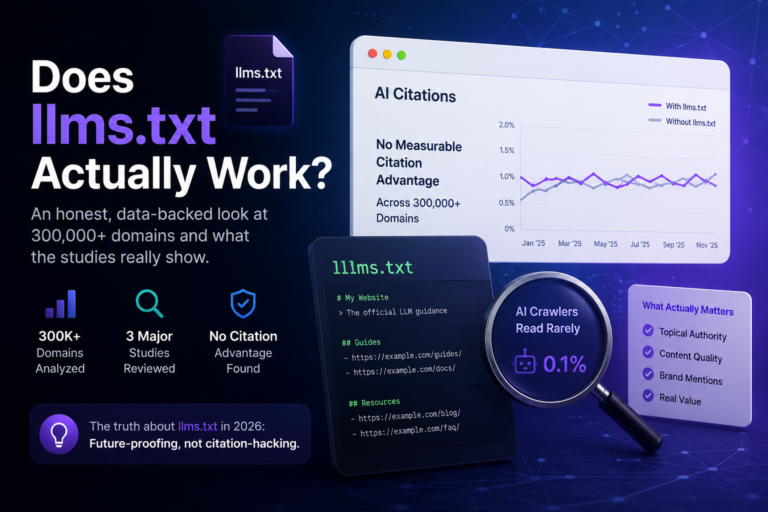
One thing none of these plugins can do is make an AI system use the file. Whether llms.txt affects anything is still an open question, and I looked at what evidence exists in the piece on whether llms.txt actually works. The short version: some crawlers fetch it, no major AI company has confirmed using it, and the cost of publishing one is close to zero. That’s the calculation. Pick a plugin, publish the file, and — if you can — watch the logs to see who shows up. Reading those logs is a topic of its own, which is what the AI crawler detection guide is for.
- WordPress.org plugin pages for Website LLMs.txt, LLMs.txt and LLMs-Full.txt Generator, LLMs.txt Generator – AI Visibility, and AITooler Bot Analytics (install counts, ratings, versions, changelogs and reviews as of September 2026)
- Rank Math knowledge base — “How to Use llms.txt in Rank Math SEO”
- Yoast help center — “How to enable llms.txt with Yoast SEO”
- llmstxtgenerator.de — plugin overview and Pro tier pricing