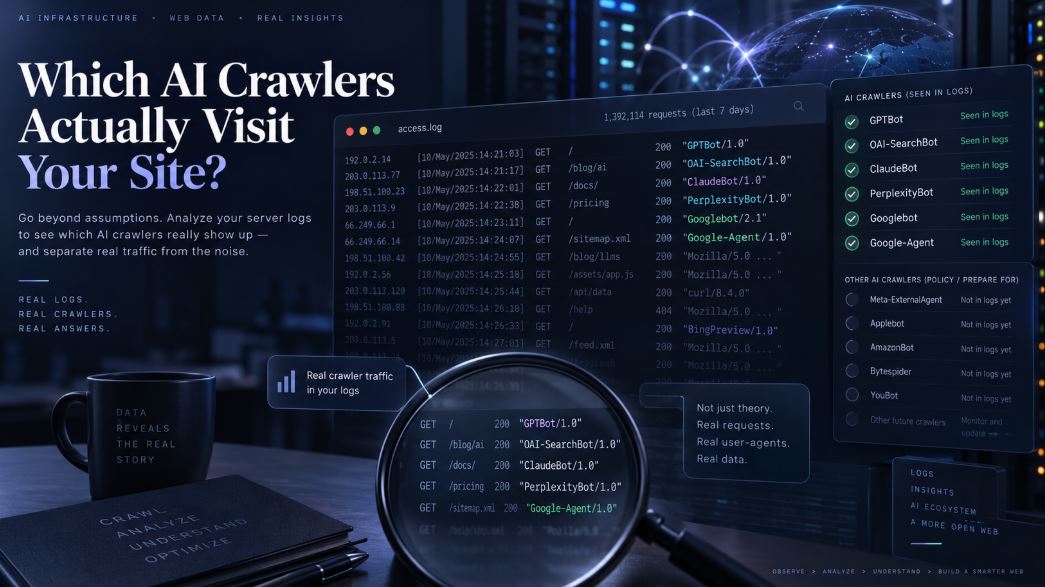
Which AI Crawlers Actually Visit Your Website?
At some point everyone who runs a website opens their access logs and searches for “GPTBot”. Sometimes it’s there, sometimes it isn’t, and either way the result feels like it should mean something. Usually it means less than we think.
I’ve read a lot of articles about AI crawlers, and almost all of them are lists: bot names, user-agent strings, a robots.txt snippet to copy. That’s useful up to a point, but it skips the question I actually care about. When I look at my logs, which of these bots should I expect to see, and what does a visit tell me?
This article is my attempt to answer that using only what the operators themselves document, plus what you can check on your own server. I haven’t included any traffic numbers, because I don’t want to present guesses as data. At the end, there’s a method for producing your own numbers.
Not every name on the list is a crawler
The biggest problem with bot directories is that they put very different things on one page. GPTBot and ChatGPT-User are both “OpenAI bots”, but one crawls the web on a schedule and the other only shows up because a person asked ChatGPT something. Google-Extended sits on those lists too, even though it never visits anyone.
It helps to sort them by what they actually do. Some crawlers collect pages that may be used to train models: GPTBot, ClaudeBot, CCBot. Others build the index that an AI search product pulls its citations from: OAI-SearchBot, Claude-SearchBot, PerplexityBot. Then there are fetchers that act on behalf of a user in real time, such as ChatGPT-User, Claude-User, Perplexity-User and, more recently, Google-Agent. There are also names that exist only as robots.txt switches, a few special-purpose agents that most sites will never see, and requests that carry a famous bot name but come from somewhere else entirely.
If your report adds all of these into a single “AI bot traffic” figure, you’re adding apples to things that aren’t even fruit.
OpenAI
OpenAI’s crawler documentation describes each agent separately. OAI-SearchBot is the one that affects whether your site can appear in ChatGPT’s search answers. If you block it, OpenAI says your pages won’t be shown there, although they can still appear as plain navigational links. GPTBot is the training crawler. Blocking it tells OpenAI not to use your content to train its foundation models.
In your logs, look for the tokens GPTBot and OAI-SearchBot rather than the full strings. OpenAI says the version numbers in those strings may change.
One sentence in that documentation changed how I read my own logs. If a site allows both GPTBot and OAI-SearchBot, OpenAI may use the results of a single crawl for both purposes to avoid crawling twice. So if you see OAI-SearchBot and never GPTBot, you can’t conclude that OpenAI is only using your site for search. The split between the two names doesn’t tell you what the content is being used for.
Another small but practical detail: when OpenAI’s bots fetch robots.txt, they may add a robots.txt marker to the user-agent string. That lets you tell “reading the rules” apart from “reading the content”, even on servers that don’t log request paths.
ChatGPT-User works differently. It doesn’t crawl on its own. It fetches a page when a ChatGPT user’s action calls for it, and OpenAI states that because these requests are user-initiated, robots.txt rules may not apply. OpenAI also says it isn’t used to decide what appears in search. The string to look for is ChatGPT-User/1.0.
There’s also OAI-AdsBot, which only visits landing pages submitted as ChatGPT ads. If you’ve never run an ad there, you won’t see it, and that means nothing.
Google, and the bot that never visits
Plenty of guides tell you to search your logs for “Google-Extended”. You won’t find it. Google’s crawler documentation says plainly that Google-Extended has no user agent string of its own. Google crawls with its usual user agents and treats Google-Extended purely as a control token in robots.txt.
What that token controls, according to Google, is whether content it has crawled can be used to train future Gemini models and for grounding. Grounding here means feeding content from the Search index into the model while it answers, in Gemini Apps and in Vertex AI’s Grounding with Google Search. Google also says the token doesn’t affect whether you appear in Google Search and isn’t a ranking signal.
The practical takeaway is that anything Gemini-related reaches your server as ordinary Googlebot traffic. No log line will tell you which of Google’s products will end up using a given fetch. Your robots.txt decides that, and your logs can’t confirm it either way. The same goes for AI features inside Google Search: Google says Googlebot rules cover all Search features, and there’s no separate AI Overviews bot to look for.
You might see two other Google agents. GoogleOther is a general-purpose crawler that different teams can use, for example for one-off research crawls, and Google says blocking it doesn’t affect any particular product. Google-CloudVertexBot crawls sites whose owners asked Vertex AI to build an agent from them. If you see it and didn’t set one up, that’s worth a closer look, but it doesn’t prove anything on its own.
A newer Google identifier is worth keeping separate from all of these. Google added Google-Agent to its documentation on March 20, 2026, describing it as the user agent that agents hosted on Google infrastructure use to navigate the web and perform actions when a user asks them to. Google lists it among its user-triggered fetchers, not its crawlers. That puts it much closer to ChatGPT-User or Claude-User than to Googlebot, so it shouldn’t be counted as scheduled crawl traffic. In logs it appears as compatible; Google-Agent inside a Chrome-style string.
Two details on that page matter for anyone measuring it. First, Google says that because these fetches are requested by users, its user-triggered fetchers generally ignore robots.txt. A Disallow line aimed at Google-Agent is not a reliable way to keep it out. Second, Google’s user-triggered fetchers use separate verification infrastructure from Googlebot. Google-Agent specifically uses the IP ranges published in user-triggered-agents.json, so a verification script that only checks Googlebot’s common-crawler ranges will reject genuine Google-Agent traffic. Google also says it is experimenting with the Web Bot Auth protocol for this agent, under the identity https://agent.bot.goog, which may eventually give site owners a cryptographic way to verify these requests.
Anthropic
Anthropic’s help center lists three agents. ClaudeBot is for training. Claude-User fetches pages when someone asks Claude a question, and blocking it means Claude can’t retrieve your page for that person. Claude-SearchBot indexes content for Claude’s search, and Anthropic warns that blocking it can reduce your visibility there.
Where Anthropic differs from OpenAI and Perplexity is the user fetcher. Anthropic says all three of its bots follow robots.txt, Claude-User included. OpenAI and Perplexity say their user-triggered fetchers may not, or generally don’t. So an identical Disallow line does different things depending on who’s reading it.
Anthropic makes one more point I haven’t seen elsewhere. It says blocking its IP addresses may not work reliably as an opt-out, because the block also stops its bots from reading your robots.txt. I think this is easy to overlook. People reach for a firewall rule because it feels more decisive, but it blocks the one file that records what they actually want, and it removes the log entries they’d need to check whether it worked.
If you have older logs, you may also find Claude-Web or anthropic-ai. Those are earlier names that are now reported as deprecated, so I’d treat fresh hits under them as suspect until verified.
Perplexity
Perplexity’s documentation recommends allowing PerplexityBot and its published IP ranges if you want to show up in its answers. The token is PerplexityBot/1.0. Perplexity-User fetches pages when someone asks a question and may link to them in the answer. Perplexity says robots.txt generally doesn’t apply to that one.
Perplexity also has a section on firewalls, explaining that sites using a WAF may need to allow its bots explicitly. That’s an operator admitting, in its own docs, that your security settings can matter more than your robots.txt.
When the name doesn’t match the sender
In 2024, developer Robb Knight wrote about blocking PerplexityBot and then asking Perplexity about one of his pages. The request that showed up in his logs had a generic Chrome user agent, not PerplexityBot. I’m not using that as a verdict on any company. The lesson for log analysis is broader than that. A missing bot name doesn’t prove there was no AI fetch, and a bot name doesn’t prove who sent the request, since anyone can put “GPTBot” in a header.
What a single request actually tells you
Say you find this: a request from a verified OAI-SearchBot IP for /guide/llms-txt, status 200, 48 KB sent.
That tells you OpenAI’s infrastructure could reach the page at that moment. It tells you neither your robots.txt nor your firewall stopped the request, and that your server returned a successful response. It also tells you OpenAI knew enough about that URL to request it. The log doesn’t tell you how it was discovered: a sitemap, a link, an earlier crawl or another mechanism could all explain it.
It doesn’t tell you whether the page was kept or thrown away after the fetch, or whether it will ever be cited, shown to anyone or used as grounding. It doesn’t tell you whether today’s version of the page is the one that was fetched, since an edit next week may never get picked up. It doesn’t tell you whether OpenAI already had the content from somewhere else, like a copy on another site or an older dataset. And because of the shared-crawl rule, it doesn’t tell you whether this same fetch also went toward training.
So a request shows access, not use. The gap between “fetched” and “appeared in an answer” happens entirely on the operator’s side, and no amount of log analysis will let you see into it.
The user-triggered fetchers are the partial exception. A Claude-User or ChatGPT-User hit is about the closest your logs get to evidence of demand: somebody, in some conversation, caused an AI to look at that page. You still don’t know what they asked or whether your page made it into the answer, but it’s a different kind of signal from a scheduled crawl, and I report it separately.
Why your AI crawler report may be wrong
The most common error is trusting the user agent. Without checking the IP, a “GPTBot” count is really a count of requests that said they were GPTBot.
The next is the CDN. If your site sits behind Cloudflare or similar, your origin logs record the proxy’s IP unless you’ve restored the real client IP (in nginx, the real_ip module with the CF-Connecting-IP header). Every IP check after that point is meaningless. Caching causes a quieter problem. If the CDN serves a cached copy, the bot’s request never reaches your server, and the pages most likely to be cached are your most popular ones. So origin-only reports undercount crawling most heavily on your best content.
Firewall and bot-management rules cause the same effect. A request blocked at the edge never lands in your origin log, so from your server’s point of view the bot simply never came. If you’ve turned on AI-bot blocking in Cloudflare, the evidence is in Cloudflare’s logs, not yours.
Then there are the mundane issues. Shared hosting often keeps only a few days of logs, so a “30-day” report can quietly turn into a 7-day one. IP lists change, so checking this month’s logs against last month’s list produces errors in both directions. User-triggered fetches follow people, not schedules, so counting them as crawl frequency makes no sense. And some answers are built from an index rather than a live fetch, which means your content can be used in an answer without any request reaching your server at that moment.
Reading your own logs
The commands below assume the standard combined log format, which is the default in both nginx and Apache. A line looks like this:
IP - user [18/Sep/2026:10:15:02 +0000] "GET /path HTTP/1.1" 200 48213 "referer" "user-agent"Start with a list of tokens. I leave Googlebot out because it’s primarily a search crawler and deserves its own analysis, and Google-Extended out because it can’t appear.
BOTS='GPTBot|OAI-SearchBot|ChatGPT-User|OAI-AdsBot|ClaudeBot|Claude-SearchBot|Claude-User|PerplexityBot|Perplexity-User|CCBot|GoogleOther|Google-CloudVertexBot|Google-Agent'Next, pull the matches into a tab-separated file. Only match against the user-agent field. A plain grep over the whole line will also count someone requesting a URL like /PerplexityBot, which is exactly the kind of test people run.
zcat -f /var/log/nginx/access.log* | awk -F'"' -v re="$BOTS" '
match($6, re) {
  bot = substr($6, RSTART, RLENGTH)
  split($1, a, " "); ip = a[1]; day = substr(a[4], 2, 11)
  split($2, r, " "); split($3, s, " ")
  print day "\t" bot "\t" ip "\t" s[1] "\t" s[2] "\t" r[2]
}' > ai_hits.tsv
# columns: date  bot  ip  status  bytes  url
On Apache, point it at /var/log/apache2/access.log* or /var/log/httpd/access_log* depending on your distribution. After that, grouping is a matter of cut, sort and uniq:
# requests per crawler
cut -f2 ai_hits.tsv | sort | uniq -c | sort -rn

# most requested URLs per crawler
cut -f2,6 ai_hits.tsv | sort | uniq -c | sort -rn | head -40

# status codes per crawler
cut -f2,4 ai_hits.tsv | sort | uniq -c | sort -k2,2 -k1,1rn

# requests per day per crawler
cut -f1,2 ai_hits.tsv | sort | uniq -c

# unique pages per crawler
cut -f2,6 ai_hits.tsv | sort -u | cut -f1 | uniq -c | sort -rn

# robots.txt fetches per crawler
awk -F'\t' '$6=="/robots.txt"' ai_hits.tsv | cut -f2 | sort | uniq -c

# bytes sent per crawler
awk -F'\t' '{b[$2]+=$5} END {for (k in b) print b[k], k}' ai_hits.tsv | sort -rn
To check OpenAI’s IPs, download the lists it publishes and test each address against them. I wrote this script so it doesn’t depend on the exact JSON layout. It just collects anything that parses as a network range.
import json, ipaddress, sys, urllib.request

def nets(url):
    data = json.load(urllib.request.urlopen(url))
    out = []
    def walk(x):
        if isinstance(x, dict): [walk(v) for v in x.values()]
        elif isinstance(x, list): [walk(v) for v in x]
        elif isinstance(x, str):
            try: out.append(ipaddress.ip_network(x, strict=False))
            except ValueError: pass
    walk(data); return out

lists = {"GPTBot": "https://openai.com/gptbot.json",
         "OAI-SearchBot": "https://openai.com/searchbot.json",
         "ChatGPT-User": "https://openai.com/chatgpt-user.json"}
ranges = {k: nets(u) for k, u in lists.items()}

for line in sys.stdin:
    day, bot, ip, *rest = line.rstrip("\n").split("\t")
    if bot in ranges:
        ok = any(ipaddress.ip_address(ip) in n for n in ranges[bot])
        print(f"{line.rstrip()}\t{'VERIFIED' if ok else 'UNVERIFIED'}")
python3 verify.py < ai_hits.tsv > ai_hits_verified.tsvFor Google, use DNS instead. Run host on the IP and check that the hostname ends in googlebot.com or google.com. Then run host on that hostname and confirm it points back to the same IP. Google’s user-triggered fetchers use separate verification infrastructure from Googlebot. As a category, they are documented with their own reverse-DNS patterns (gae.googleusercontent.com or google-proxy-….google.com) and three separate IP lists. Google-Agent specifically uses the ranges in user-triggered-agents.json, so a script that only checks Googlebot’s common-crawler hostname pattern or IP list will reject genuine Google-Agent traffic. Anthropic and Perplexity publish their own ranges, which you can check the same way as OpenAI’s.
Even with all of this, user-agent matching only gives you a list of claims. Fake names get counted, blocked and cached requests go missing, one request can serve several purposes, and user fetches get mixed in with crawls. Before I trust a number, I want the token, an IP that matches the operator’s current published list, the real client IP restored behind the proxy, and edge logs if the site uses a CDN.
Conclusions people draw too quickly
“GPTBot requested my article, so it’s in ChatGPT’s training data.” If the IP checks out, all you know is that OpenAI’s training crawler fetched the page and got a response. Whether it was trained on isn’t something you can see.
The reverse happens too: “ChatGPT knows about my article, so GPTBot must have crawled it.” It could have come through OAI-SearchBot, through a ChatGPT-User fetch, through a copy on another site, or through a dataset put together by someone else.
“PerplexityBot never showed up, so I’m invisible in Perplexity.” Before believing that, check your firewall, your CDN cache and how long you keep logs. Any of the three can produce the same empty result.
“Google-Extended never appeared, so Google isn’t using my content for Gemini.” This one tells you nothing at all, because Google-Extended can’t appear. Only your robots.txt answers that question.
“Lots of ChatGPT-User hits on one page means ChatGPT rates it highly.” What it actually shows is that people keep causing ChatGPT to fetch that page. That’s closer to a sharing or demand signal than a ranking.
“I blocked Anthropic’s IPs and ClaudeBot hits dropped, so my opt-out works.” Anthropic itself says an IP block may not hold as an opt-out, because the bot can no longer read your robots.txt.
And if a bot keeps getting 403 or 429 responses, the bot isn’t broken. Your security layer is rejecting it, which means your firewall and your robots.txt are saying different things.
Build your own AI crawler census
All of this is abstract until you run it on your own site. Here’s how I’d set up a 30-day measurement so the result is actually worth something.
Before you start, write down the token list and the date you took it from the docs. Download each operator’s IP lists and save them with that date. Save a copy of your current robots.txt, and don’t change it during the 30 days. If you have to, note the date, because comparisons across that change won’t hold. Make sure your logs will survive at least 35 days, either by extending retention or by copying them off the server daily. If you’re behind a CDN, restore real client IPs at the origin, turn on edge log export if your plan includes it, and note whether any AI bot blocking is active. It also helps to run a second, independent record alongside the server logs. On WordPress, a plugin like AITooler Bot Analytics can do this by logging crawler visits locally, which gives you something to cross-check the server logs against.
During the 30 days, record the crawler token, URL, timestamp, status code, bytes sent and IP for every matching request. Also mark whether the IP was verified, unverified or couldn’t be checked, and whether the line came from your origin or your CDN.
At the end, work out how many unique pages each crawler visited and how many requests it made, keeping verified and unverified counts apart. Look at how often each crawler came back to the same URL and how long the gaps were. Compare successful responses with failed ones, check which kinds of pages each crawler went for (articles, category pages, tools, media), and count how often each one fetched robots.txt. Keep user-triggered fetches in their own section rather than mixing them into the crawl figures.
When you write it up, be strict about what kind of statement each sentence is. Some things are documented facts from the operator, like Google-Extended having no user agent. Some are what you observed in your logs. Some are numbers you calculated from those logs. Everything else is interpretation, and I’d phrase it as a hypothesis with its alternatives. For example: “Article pages got more OAI-SearchBot visits, which could mean the index favors them, or could just reflect sitemap order and internal linking.” Don’t fill in a number until the logs give you one. A census with made-up figures is worse than not doing one.
What I think this adds
The most useful points here aren’t about any single bot. Google-Extended can’t be measured in logs at all, so any dashboard showing “Google-Extended traffic” is either mislabeled or guessing. Per-bot counts from OpenAI can’t tell you purpose, because one crawl may serve both search and training. User-triggered fetches measure demand rather than crawling and should be counted separately. That now includes Google: Google-Agent, added in March 2026, is a user-triggered agent. It generally ignores robots.txt, and a verification script written only for Googlebot’s common-crawler hostname pattern or IP list can incorrectly flag genuine Google-Agent requests as fake. The same robots.txt line behaves differently depending on the operator, especially for user fetchers.
On the measurement side, a firewall block can undo the very opt-out it seems to enforce, and it wipes out the evidence you’d need to check it. Origin logs undercount most on your most popular pages because of caching. Matching the whole log line instead of the user-agent field inflates counts. OpenAI’s robots.txt marker lets you separate rule checks from content fetches.
And the point I’d underline most is that “it never showed up” is almost never a finding. For every bot in this article, there are at least three dull explanations to rule out first: blocking at the edge, caching, and missing logs. Only once you’ve excluded those does absence start to mean something.