
Google Flow Credits: How Many Videos You Get (Tested 2026)
Tested October 28, 2026 · Numbers checked against Google’s help pages and a live free account.
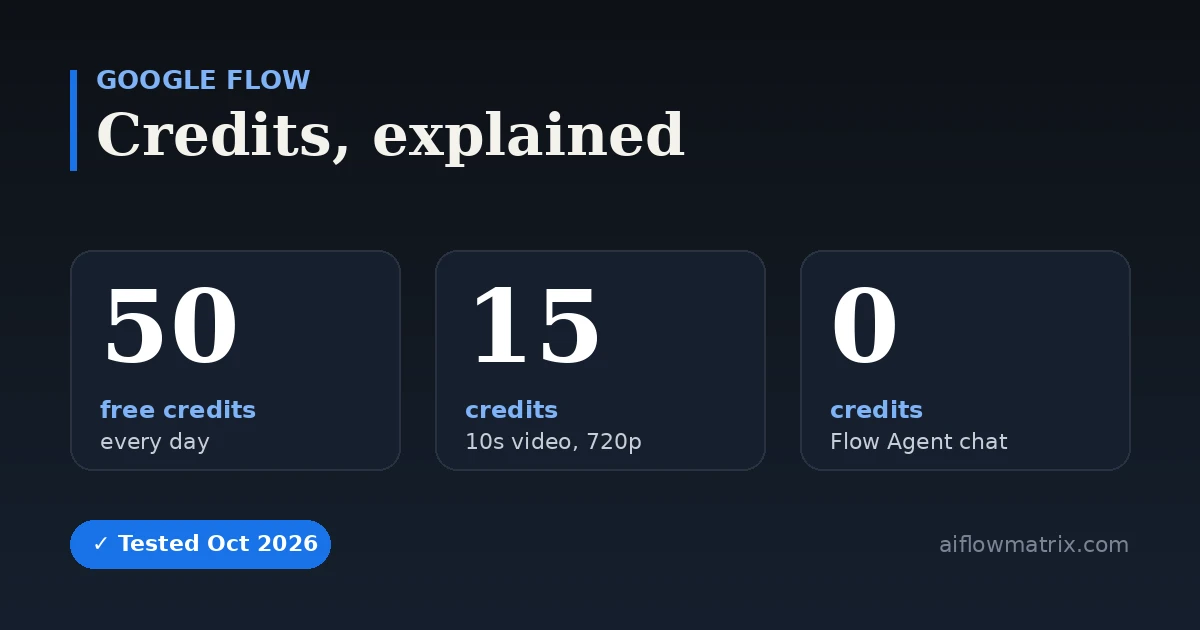
Everyone gets 50 Google Flow credits a day, free or paid. A 10-second Omni Flash video at 720p costs 15 credits, so the free tier covers about three of those a day, or seven at 360p. Paid plans add a monthly pool on top: +200 (AI Plus), +1,000 (AI Pro), +10,000 (Ultra $100) or +25,000 (Ultra $200). Talking to Flow Agent costs nothing.
- Daily credits
- 50, every account
- Refresh
- 24h after first spend
- Cheapest video
- 4 credits (4s, 360p)
- Most expensive
- 100 (Veo 3.1 Quality)
- Agent chat
- Free
- Charged per
- Generation, not prompt
- Backup balance
- AI credits
- Free peak block
- 2–5 PM UTC (video)
- 1How Flow credits work, and the second balance most guides miss
- 2The official cost of every model and length
- 3My test on a free account, step by step
- 4How many videos each plan really gets you
- 5Six ways to stretch your credits
Most pages about Flow pricing copy the same numbers from each other, and a lot of them are wrong. When I updated my Google Flow explainer, I went to Google’s own help pages and then spent part of my daily allowance checking whether the numbers held up. They did, with a couple of details nobody mentions.
How Google Flow Credits Work
Every generation in Flow, video or image, spends credits. The price depends on the model, the length and the resolution. Planning, asking questions and getting prompt ideas from Flow Agent is free.
There are actually two balances on your account:
Google Flow credits
The daily 50 plus your plan’s monthly allowance. Flow spends these first.
AI credits
A backup balance shared with other Google products. Flow uses it when your Flow credits run out. Subscribers can buy more in most regions (not Japan).
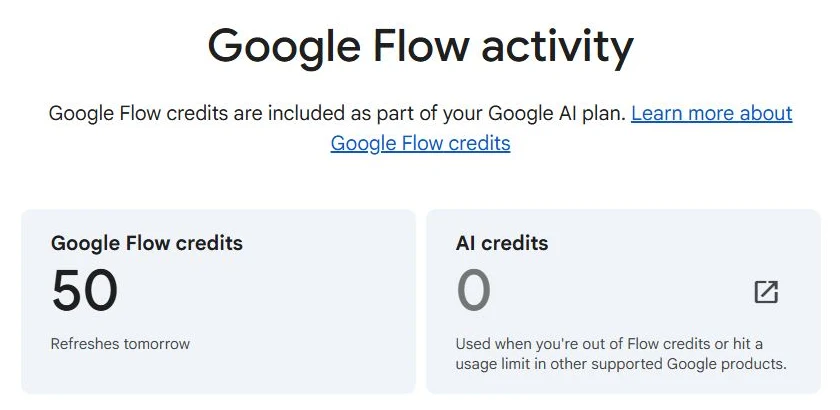
You can see both on the Google Flow activity page in Google One. Your Flow balance also shows up when you click your profile picture inside Flow.
What Every Generation Costs
These are Google’s official numbers. Flow also shows the exact cost before it generates anything, as long as the Agent’s “Confirm before generating” setting is on.
| Model / action | 4s | 6s | 8s | 10s |
|---|---|---|---|---|
| Omni 1.1 Flash, 360p | 4 | 5 | 6 | 7 |
| Omni 1.1 Flash, 720p | 7 | 10 | 12 | 15 |
| Veo 3.1 Lite | 10 (Ultra: 5) | — | ||
| Veo 3.1 Fast | 20 (Ultra: 10) | — | ||
| Veo 3.1 Quality | 100 (8s only) | — | ||
| Omni Flash video edit | 40, any length | |||
| 1080p upscale | 0 for subscribers · not on free | |||
| 4K upscale | 50 · Ultra only | |||
Ultra subscribers also get a lower-priority Veo 3.1 Lite queue that costs nothing. Every model, including Veo 3.1 Quality, was selectable on my free account, but at 100 credits Quality is out of reach with a 50-credit day.
I Tested It on a Free Account
I opened a new project, set the Agent’s video model to Omni 1.1 Flash, kept output at x1 and left confirmation on. Then I ran the same coffee-cup prompt at three settings and checked my balance after each one.
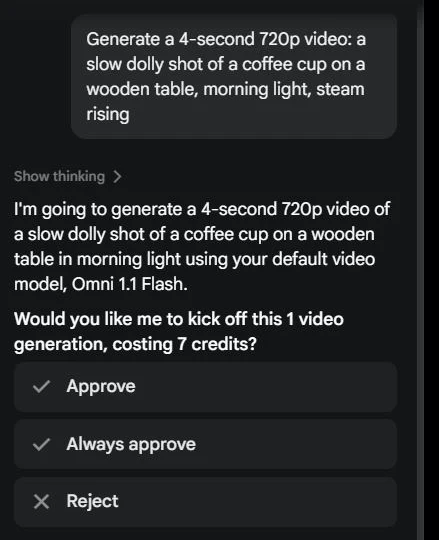
| Step | Cost shown by Agent | Balance after |
|---|---|---|
| Start of day | — | 50 |
| 4s video, 720p | 7 | 43 |
| 10s video, 720p | 15 | 28 |
| 10s video, 360p | 7 | 21 |
| Asked Agent for 3 camera angles | 0 | 21 |
Every charge matched the official table. Two things surprised me.
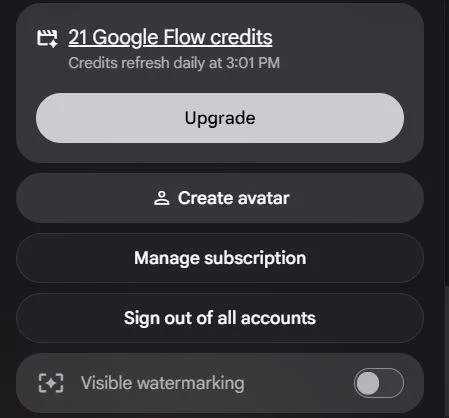
The refresh clock starts when you first spend. With a full balance, the profile menu showed the current time as the refresh time. After my first video it locked to that moment (3:01 PM) and stayed there through the next two generations. So the daily 50 comes back 24 hours after your first generation, not at midnight.
The Agent asks before it spends. Each confirmation named the model, the length and the exact credit cost, with Approve, Always approve and Reject buttons. Leave it on “Always” until you know the prices by heart.
How Many Videos Each Plan Gets You
The daily 50 applies to subscribers too, which most pricing pages leave out. If you use Flow every day, that’s around 1,500 extra credits a month. Here’s what each plan works out to, assuming you spend the daily allowance:
| Plan | Credits / month | 10s 720p | 10s 360p | Veo 3.1 Quality |
|---|---|---|---|---|
| Free | ~1,500 (50/day) | 3/day | 7/day | — |
| AI Plus | ~1,700 | ~113 | ~240 | ~17 |
| AI Pro | ~2,500 | ~166 | ~357 | ~25 |
| Ultra $100 | ~11,500 | ~766 | ~1,640 | ~115 |
| Ultra $200 | ~26,500 | ~1,766 | ~3,780 | ~265 |
Real projects use fewer clips than this, because you reject takes, run x2 or x4 variations and make edits at 40 credits each. As a rough rule, halve the table if you iterate a lot.
Prices depend on your region. In Turkey, for example, AI Plus is TRY 199.99/mo, AI Pro TRY 869.99/mo and Ultra starts at TRY 1,989.99/mo, with first-month discounts on Plus and Pro. Google’s plan page shows your local price.
The Free Plan’s Catch: Peak Hours
Without a subscription, Google says you may not be able to generate videos between roughly 2 PM and 5 PM UTC. Images and Flow Agent still work. If you’re on the free tier, plan video runs outside that window, or use it to draft prompts and shot lists with the Agent.
Six Ways to Stretch Your Credits
- Draft at 360p. A 10-second clip costs 7 instead of 15. Re-run at 720p only once the motion looks right.
- Keep outputs at x1 while testing. Switch to x2–x4 when the prompt is close.
- Plan with the Agent first. Shot lists, camera angles and prompt rewrites cost nothing.
- Use start and end frames. Locking both ends cuts down on retries when clips need to join up.
- Pick the right model. Omni Flash at 720p (15 for 10s) is better value than Veo 3.1 Fast (20 for 8s) for most drafts. Save Quality for final shots.
- Leave confirmation on. Seeing the price before each run is the easiest way to avoid surprises.
Which Plan Makes Sense?
Free
Enough to learn Flow and test prompts. Three 720p clips a day, no upscaling, video blocked at peak hours.
AI Plus
Small monthly boost and free 1080p upscaling. Fine for occasional social clips.
AI Pro
The sensible choice for weekly creators. Around 2,500 credits a month and you can build your own Flow Tools.
Ultra
For studios and heavy Veo 3.1 users. Half-price Veo, a free Lite queue and the only route to 4K.
What Flow is, how Flow Agent works and what changed in 2026.
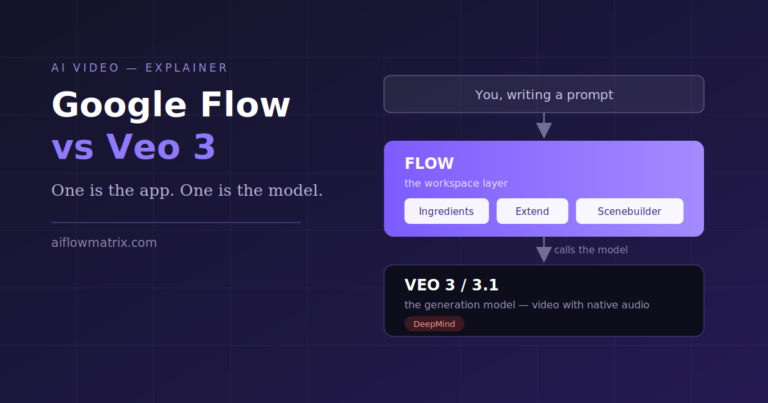
Flow is the studio, Veo is a model inside it. Here’s where the line sits.
Google Flow Credits FAQ
How many free credits does Google Flow give?
Every account gets 50 Google Flow credits a day, with or without a subscription. They come back 24 hours after your first generation of the day.
How many videos can I make with 50 Flow credits?
About three 10-second Omni Flash clips at 720p (15 credits each), seven at 360p (7 each), or five 8-second Veo 3.1 Lite clips (10 each).
Does Flow Agent use credits?
No. Asking Flow Agent questions, planning shots or rewriting prompts is free. Only the images and videos it generates cost credits.
What’s the difference between Flow credits and AI credits?
Flow credits are the daily 50 plus your plan’s monthly allowance. AI credits are a separate balance shared with other Google products that Flow uses when Flow credits run out. Subscribers can buy more AI credits in most regions.
How much does Veo 3.1 cost in Google Flow?
Veo 3.1 Lite costs 10 credits, Fast 20 and Quality 100 per generation. Ultra subscribers pay half for Lite and Fast and get a free lower-priority Lite queue.
Do Google Flow subscribers still get 50 daily credits?
Yes. Google AI Plus, Pro and Ultra add their monthly credits on top of the daily 50, not instead of them.
Can I get 4K video in Google Flow?
Only on Google AI Ultra. 4K upscaling costs 50 credits. 1080p upscaling is free for Plus, Pro and Ultra subscribers and unavailable on the free plan.
Why can’t I generate videos on the free plan?
Between roughly 2 PM and 5 PM UTC, non-subscribers may be blocked from video generation. Images and Flow Agent keep working.
Sources: Google Flow Help — Manage your Google Flow credits and credit costs per generation (checked October 28, 2026) · Google One plan page (Turkey pricing) · own test on a free account.


One Comment