I Made the Same Scene in 5 Animation Styles with Google Flow (Prompts + Results)
Tested October 30, 2026 · Six generations on a free account, Omni 1.1 Flash, 360p, 7 credits each.
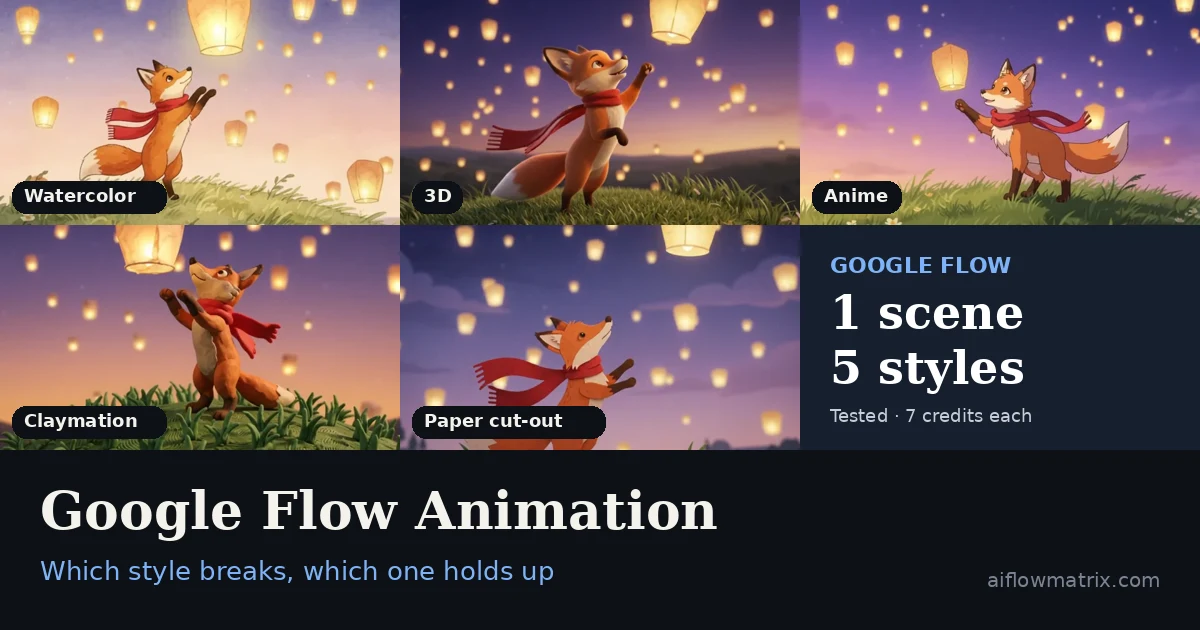
Yes, Google Flow can make animation: 2D, 3D, anime, claymation and paper cut-out all work from a text prompt. I ran the same 10-second scene in five styles. The fox stayed recognizable in every style, but the moment it stood up, its anatomy broke in the soft styles (watercolor, 3D). In this test, claymation and paper cut-out held their shape best. The fix wasn’t a different style, it was a different prompt: start the character in its final pose and move the object instead.
- Model
- Gemini Omni 1.1 Flash
- Clip
- 10s, 360p, x1
- Cost per clip
- 7 credits
- Total spent
- 42 credits
- Styles tested
- 5 + 1 fixed prompt
- Best motion
- Claymation, paper
- Most distortion
- Watercolor, 3D
- Account
- Free (50 credits/day)
- 1The prompt and how I set up the test
- 2Five styles, one scene: what each did well and where it broke
- 3Why the stand-up moment breaks, and which styles survive it
- 4The rewritten prompt that fixed it (before / after)
- 5Prompt rules for animation in Flow
After writing about what Google Flow is and how its credits work, I wanted to know something more practical: can it animate? Not “generate a cartoon-looking clip,” but hold a character together while it actually does something.
So I wrote one short scene and ran it five times, changing only the style line.
The Setup
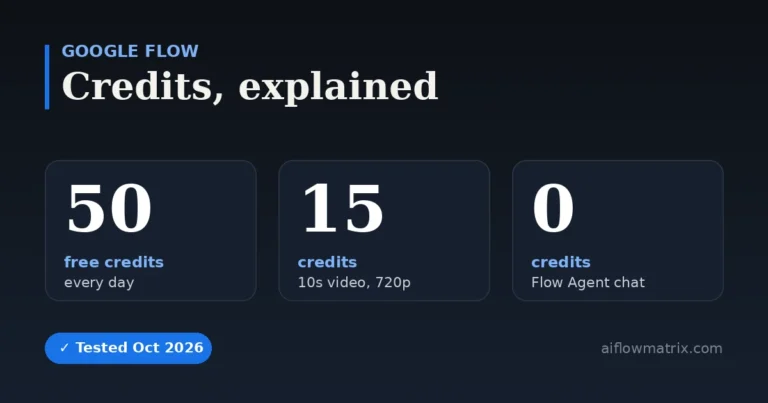
New project, Agent video model set to Omni 1.1 Flash, output x1, confirmation on. I used 360p because a 10-second clip costs 7 credits there instead of 15 at 720p, and I wanted all five styles to fit inside one day’s free 50.
The scene asks for one thing that’s hard for video models: a body changing position. The fox sits, then stands on its hind legs to reach a lantern.
Style: [changed each run]
Scene: A small orange fox with a red scarf sits on a hill at dusk, watching paper lanterns float up into a violet sky. A light wind moves the grass and the fox’s scarf. The fox looks up, its ears twitch, and it stands on its hind legs to reach one lantern drifting close.
Camera: Slow push-in from a wide shot to a medium shot of the fox.
Mood: Quiet, magical, hopeful.
Audio: Soft wind, distant chimes, a gentle music box melody. No dialogue.
Splitting style, scene, camera, mood and audio onto separate lines helps. The model doesn’t confuse “soft watercolor” with something happening in the scene.
Style 1: 2D Watercolor
Style: 2D hand-drawn animation, soft watercolor textures, warm pastel palette, gentle film grain, storybook feel.
The first thing I noticed was the sound. The wind, the chimes and the music-box melody fit the picture, and the melody is genuinely pleasant to listen to. The watercolor look held for all ten seconds, and the red scarf never changed.
Then the fox stood up. Around 6.5 seconds, its back legs and tail smear for a few frames while the body shifts from sitting to standing. At first I thought 360p was to blame. It isn’t, or not mostly: the low resolution softens the grass, but the smear is the model losing track of the body mid-move.
Style 2: Stylized 3D
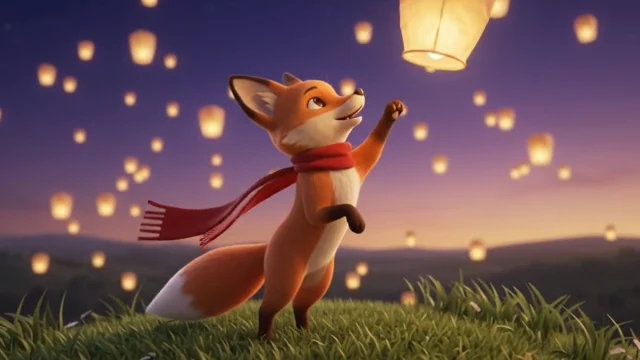
Style: Stylized 3D animation, soft subsurface lighting, rounded shapes, cinematic depth of field.
The most cinematic of the set. The dusk sky, the bokeh on the lanterns and the soft light on the fur look like a studio trailer. The audio was again good.
Same problem, same moment. As the fox rises, its tail briefly splits into two white tips, and the end of the scarf ghosts into several overlapping copies. The fox also reaches for a lantern that never comes down; it grabs at empty sky.
Style 3: Anime
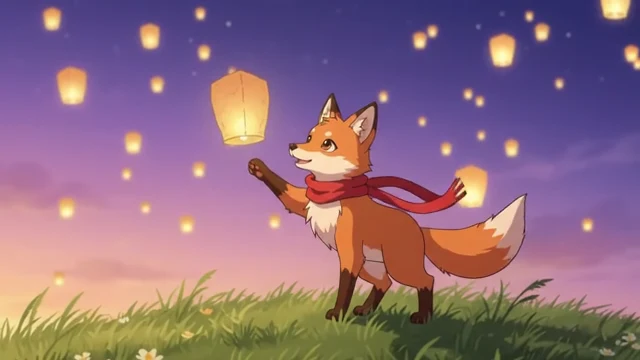
Style: Anime style, clean line art, cel shading, vibrant sky gradients.
This one surprised me. Instead of one continuous push-in, Flow edited the scene into three shots: a wide shot, a close-up where the fox closes its eyes, then a cut to the fox already standing with one paw raised.
The cut hides the difficult moment. You never see the fox stand up, so you never see it smear. The trade-off is that the prompt wasn’t really followed: the fox stays on four legs and reaches with one paw, and the slow push-in became an edit. Cleanest lines of the five, though, and the most emotional.
Style 4: Claymation
Style: Claymation stop-motion look, visible fingerprints on clay, slightly choppy 12fps motion, handmade miniature set.
My favorite. The colors are rich and full, the grass looks like hand-shaped clay, and it’s the only version where everything in the prompt happens on screen in one take. The fox turns, walks a few steps, rises onto its hind legs, and the lantern really is right next to its paws.
It isn’t flawless. There’s still a moment of distortion as the fox turns and rises, and I noticed it. But it’s much less visible than in watercolor or 3D. In this test, the clay fox kept its shape far better than the watercolor and 3D versions during the same movement.
Style 5: Paper Cut-Out
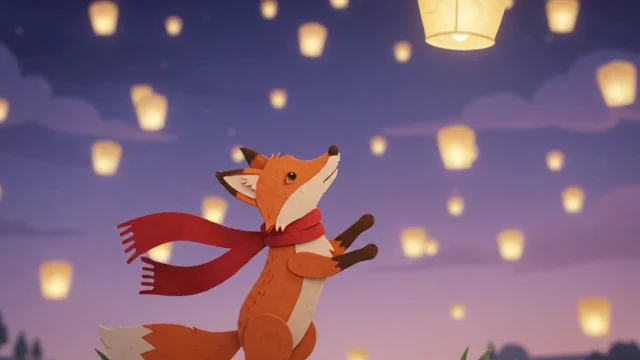
Style: Paper cut-out animation, layered cardstock, visible paper edges and texture, shallow depth of field, handmade feel.
The second “solid” style, and it behaved like claymation. The fox stands up in one continuous shot without visible smearing, and the paper scarf didn’t ghost the way the 3D one did.
The only issue was timing. The lantern drifts right past the fox around the five-second mark, but by the time the fox stands up and reaches, it has already floated away. For a story, that’s almost charming.
The Results Side by Side
| Style | Distortion | Followed prompt | Best at |
|---|---|---|---|
| 2D watercolor | Legs and tail smear on stand-up | High | Sound, consistent style |
| 3D | Tail splits, scarf ghosts | High | Lighting, depth |
| Anime | Hidden by a cut | Medium | Clean lines, emotion |
| Claymation | Minor, during the turn | Full | Colors, reaching the lantern |
| Paper cut-out | Barely visible | High (late timing) | Texture, clean motion |
What surprised me most across all five was how well Flow created the character. The design itself stayed recognizable: same fox, same red scarf, same colors in every style. But recognizable isn’t the same as intact. During movement, the anatomy broke: legs smeared, the tail split, the scarf ghosted. Flow is good at designing a character and much weaker at keeping its body together while it moves.
Why the Stand-Up Moment Breaks

Small movements were fine everywhere: ears twitching, the scarf in the wind, a head turning, the camera pushing in. The trouble was always one big change of pose. Between “sitting” and “standing,” the model has to invent the in-between frames, and in soft, painterly styles it fills them with something blurry.
In this test, the clay and paper styles kept their shape better through the same move. Anime avoided it by cutting away. The other option is to remove the hard move from the prompt.
The Fix: Same Style, Rewritten Prompt
I went back to watercolor, the style that broke the worst, and changed three things:
- The fox starts on its hind legs, so there’s no sit-to-stand transition.
- The lantern moves to the fox, not the other way round.
- The camera is a static medium shot with only a slight push-in.

It worked. No smearing, and for the first time the fox actually touches the lantern, which none of the first five managed cleanly. Same style, same model, same 7 credits. Only the prompt changed.
Prompt Rules for Animation in Flow
- One action per clip. Ten seconds is enough for one clear move, not three.
- Avoid big pose changes. Start the character in its final pose, or split sit-to-stand into two clips.
- Move objects, not bodies. A lantern drifting down is easier for the model than a fox jumping up.
- Give the character one distinctive detail. The red scarf kept the fox identical across every style.
- Try clay or paper for action-heavy scenes. In my test they kept their shape better than watercolor or soft 3D.
- Test at 360p, finish at 720p. 7 credits per draft instead of 15.
I went in expecting the visual quality to be the weak point. It wasn’t. Character design was the strong point: the fox was recognizably the same in all six clips, and the claymation version, with its full colors, is something I’d happily show to a client.
The weak point is motion. Every time the character had to change position, I could see it, and that distortion bothered me more than any resolution issue. Once I wrote the prompt around it, the problem mostly disappeared.
Where would I actually use this? Children’s story narration, and short promotional films aimed at primary and middle school students. Both need a warm style and a consistent character more than complex action, which is exactly what Flow is good at right now.
Would I recommend it? Yes, especially to beginners. You don’t need animation skills or software, the free 50 credits a day is enough to try five or six ideas, and the lessons from one afternoon of testing carry straight into better prompts.
What each clip costs, how the free 50 refresh, and how many videos each plan gets you.
Flow Agent, Omni Flash, Veo 3.1 and what changed in 2026.
Google Flow Animation FAQ
Can Google Flow make animation?
Yes. Flow generates 2D, 3D, anime, claymation, paper cut-out and other animation styles from a text prompt. You set the style in the prompt; no animation software or skills are needed.
How much does an animated clip cost in Google Flow?
With Gemini Omni Flash, a 10-second clip costs 7 credits at 360p and 15 at 720p. The free daily 50 credits cover about seven 360p test clips.
Why does my Google Flow animation look distorted?
Distortion usually appears when a character changes pose, such as sitting down or standing up. The model has to invent the in-between frames and smears them. Start the character in its final pose, or move an object instead of the body.
Which animation style works best in Google Flow?
In my test, claymation and paper cut-out kept their shape best during movement. Watercolor and soft 3D looked beautiful but distorted during big movements. Anime hid the problem by cutting between shots.
Does Google Flow keep animated characters consistent?
Its design, yes. In six clips across five styles, the fox stayed recognizable, with the same colors and red scarf. Its anatomy is less reliable: legs and tail distorted during big movements. Giving the character one distinctive detail helps keep it recognizable.
How long can a Google Flow animation be?
Each generation is up to 10 seconds. Longer animations are built by extending clips or chaining scenes, which also makes it easier to keep big movements in separate clips.
Is Google Flow good for beginners who want to animate?
Yes. You only need a Google account, the free plan gives 50 credits a day, and short prompts with one action per clip produce usable results quickly.
Test: six generations on a free Google Flow account, Gemini Omni 1.1 Flash, 10 seconds, 360p, x1, October 30, 2026. Credit costs from Google Flow Help.