Google Flow vs Veo 3: What’s Actually the Difference?
So a friend messaged me last week, genuinely annoyed. He’d paid for a subscription, opened his browser, and couldn’t work out whether he’d bought Flow or bought Veo. “Are they the same thing? Am I paying twice?”
Fair question, and he’s not the only one asking it. If you’ve been trying to pin down the difference between Google Flow and Veo 3, the confusion isn’t your fault — Google announced both in the same keynote and used the same footage to demo each.
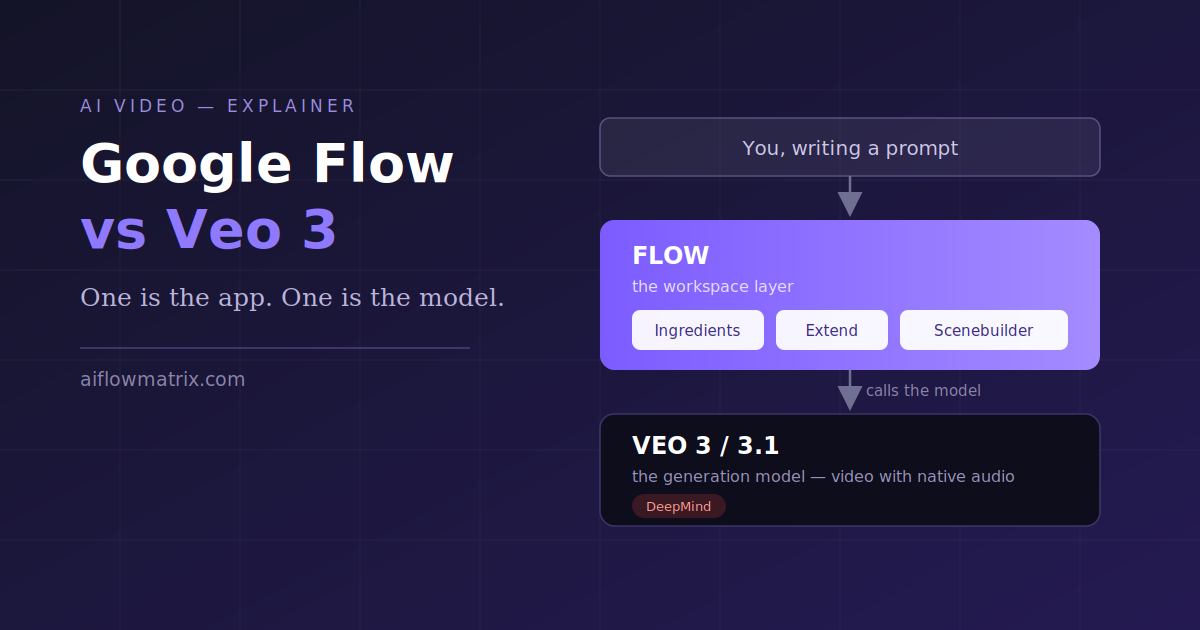
The short answer: Veo 3 is the model, Flow is the app you use it in. Google’s own Flow product page lists Veo 3.1 as one of the models available inside the tool, alongside features like Scenebuilder and Ingredients to Video, which tells you fairly plainly which one contains the other.
That distinction sounds academic until it costs you something. It decides how you’re billed, whether you can automate anything, and why your clip came out eight seconds long when you asked for a minute.
Veo 3 Is the Model
Veo does the generating. You hand it language, it hands back a clip — and since Veo 3, that clip arrives with sound already in it. Dialogue, footsteps, room tone. Before that you generated something silent and went hunting for audio elsewhere, which is why the native-audio jump got the attention it did. Less a quality bump than the removal of an entire step from the process.
Veo 3.1 came later. According to Google’s announcement post, the update brought richer audio, more narrative control and enhanced realism — and, for the first time, extended audio generation to existing Flow capabilities including Ingredients to Video, Frames to Video and Extend. In the same post Google noted Flow had passed 275 million generated videos in its first five months, which gives some sense of how much of this was driven by user feedback rather than a roadmap.
DeepMind also added vertical output and higher-resolution upscaling. Google states that Veo 3.1 now supports native 9:16 video for platforms like YouTube Shorts, with upscaling to 1080p and 4K, and that identity consistency across scenes improved — the same character surviving a change of setting, which had been the model’s weakest point.
What Veo isn’t is a place. There’s no Veo dashboard where your old projects sit waiting. Google lists it as available through the Gemini app, YouTube, Flow, Google Vids, the Gemini API and Vertex AI — six surfaces reaching one engine. That’s the single biggest source of the confusion, and I’ll come back to it.
Flow Is Where the Project Lives
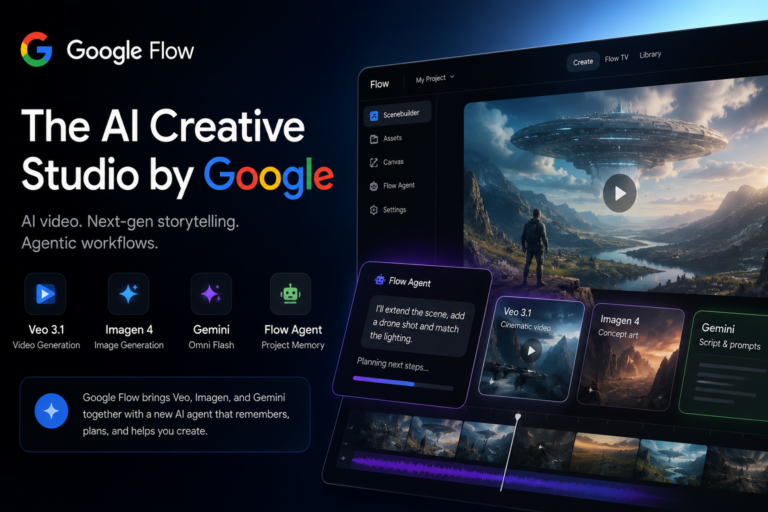
Open Flow and you get projects, a prompt box, an asset shelf, a storyboard and a credit counter ticking down in the corner. It’s real software rather than a demo page. Anyone who’s used a simple video editor picks up the layout in about ten minutes; the only genuinly odd part is that your footage doesn’t exist yet.
Nearly every feature people search for turns out to be a Flow feature rather than a Veo one. Google’s own description is worth quoting loosely here, since it’s more precise than most write-ups: Ingredients to Video combines multiple reference images to define characters, objects and style; Frames to Video generates a transition between a starting and an ending image; Extend continues the action from the final frame of a clip to produce videos running over a minute. Scenebuilder, per Google’s own tips post, is the in-Flow storyboard where individual clips get assembled into a narrative.
The credits are where it gets frustrating. Retries cost the same as first attempts, and a lazy prompt burns exactly what a careful one does. You learn quickly to think before hitting generate. If you want the interface walked through button by button rather than this comparison, I did that in the Google Flow explainer.
Google Flow vs Veo 3, Side by Side
This is the only table in the post. A comparison is about the one thing a table does better than a paragraph.
| Google Flow | Veo 3 / 3.1 | |
|---|---|---|
| What it is | An app you log into | A model you send prompts to |
| Generates video itself | No, it calls Veo | Yes |
| Where projects live | Your Flow workspace | Nowhere, it’s stateless |
| Character consistency | Ingredients, built in | Reference images, wired up by you |
| Going past 8 seconds | Extend and Scenebuilder | Scene extension via API |
| How you pay | Subscription plus credits | Per generation |
| Suits | Creators, marketers, teachers | Developers and pipelines |
Worth flagging: “Veo 3 Fast” is a cheaper, quicker variant of the model, not a Flow plan. You pick it from a dropdown inside Flow. Google lists both Veo 3.1 and Veo 3.1 Fast as available at the same cost tier, with the Fast variant trading some quality for speed — plenty of people think they’ve downgraded their subscription when they’d only changed the model selector.
Why Everyone Gets This Wrong
Both were announced at the same event. The demo showed Flow’s interface while the commentary praised Veo’s output quality, and press coverage started using the names interchangably within about a week. Search engines learned the pattern from there.
But the structural reason matters more than the historical one. Google publishes the same Veo model across at least six surfaces. Its Veo 3.1 announcement lists availability in the Gemini app, YouTube, Flow, Google Vids, the Gemini API and Vertex AI — and each surface exposes a different subset of features at different limits. So two people can both be running Veo 3.1 and disagree completely about what it can do without either of them being wrong.
The choice of surface changes the output too, not only the invoice. Flow gives you asset reuse and a storyboard without asking. The Gemini API gives you batch generation that Flow has no interface for. Google’s documentation for the API route mentions guiding the model with up to three reference images and connecting new clips to the final frame of a previous one, which is roughly what Ingredients and Extend do in Flow — except you’re implementing it rather than clicking it.
Which One You Actually Need
Flow suits solo creators, social teams, teachers and agencies. Anyone who’s going to look at every clip before it ships will save hours there.
Skip it if you need generation on a schedule, or video slotted into a pipeline, or volume without someone clicking buttons. Flow has no automation surface for that and no subscription tier adds one. It’s the mistake that costs teams a month. For the orchestration side of the API route, the same reasoning I used for agentic workflows with n8n applies almost unchanged here.
How the Pieces Fit in a Real Project
That diagram is what finally landed for my friend. He’d assumed Veo was the product and Flow was branding on top of it. Seeing that most of his week never touches the model made the billing legible too — the subscription buys the workspace, and generation gets metered inside it.
Veo makes the video. Flow is what turns eight seconds of it into something finished.
Before You Pay for Either
A Flow subscription doesn’t include API access, and API credits don’t include Flow. Seperate purchases, separate quotas. Buy Flow credits expecting to call Veo from your own code and you’ll be disappointed; buy API credits expecting an interface and you’ll be building one yourself by Thursday.
Four questions sort out most cases, roughly in this order:
- Say the deliverable out loud. One hero clip for a landing page — Flow, done before lunch. Ten thousand product videos generated nightly — API. Most of the confusion evaporates right here.
- Count the humans in the loop. Someone reviewing every output means you want an interface. Nobody reviewing means you want an endpoint.
- Check whether continuity matters. Same character across six shots means Ingredients, and Ingredients is a Flow feature. The API can do it with reference images, but you’re building the plumbing.
- Budget for retries. Your first generation is rarely the keeper. Assume three attempts per usable clip and the numbers stop surprising you.
Only then look at a price page. Doing it the other way round is precisely how people end up on the wrong tier. Current plans and regional availability sit on the official Flow page, which lists credit allowances per tier and notes that feature availability differs by country — worth checking rather than trusting a number quoted in a blog post that ages in a month. The broader question of hosted interface against raw model access isn’t specific to video either; I worked through the same trade-off comparing Cerebras, n8n and NVIDIA inference options.
The Questions People Keep Asking
Is Google Flow the same as Veo 3?
No. Flow is the application, Veo 3 is the model running underneath it. Google’s Flow page lists Veo 3.1 among the models available inside the tool.
Can I use Veo 3 without Flow?
Yes. Google lists the Gemini app, YouTube, Google Vids, the Gemini API and Vertex AI as additional routes. You lose Flow’s project management and storyboard; the model itself is the same.
What is Veo 3.1, then?
An upgrade to the model rather than a new product. Google describes it as bringing richer audio, more narrative control and enhanced realism, with audio extended to Ingredients to Video, Frames to Video and Extend. Inside Flow it appears in the model dropdown.
Why is my video only eight seconds?
That’s roughly the base generation length. Longer output comes from chaining — Google describes Extend as continuing the action from the final frame of the original clip to produce videos lasting over a minute. It’s assembly rather than one long render.
Is Flow free?
There’s a free tier with a daily credit allowance and paid tiers above it. Google’s Flow help documentation notes that product feature availability may differ by country or region, so check the official documentation rather than any blog post’s numbers, this one included.
Which should a small business start with?
Flow, in most cases. Learn what a good prompt looks like somewhere you can see the result immediately. If volume becomes the bottleneck later, that prompt knowledge carries over to the API intact. Starting from the API and working backwards mostly wastes money.
Back to the Coffee
My friend wasn’t paying twice. He was paying for a workspace that meters generation time, and the model behind it has a version number sitting in a dropdown he’d never opened. Five minutes of explanation, one subscription saved.
The useful reframe is that this was never a versus question. Flow and Veo sit at different heights in the same stack, and once you can see which is which, the questions about pricing, clip length, consistency and automation stop being separate problems. What’s left is the genuinely hard part, which is still writing a prompt worth generating.
- Google — “Bringing new Veo 3.1 updates into Flow to edit AI video” (blog.google)
- Google — “Veo 3.1 Ingredients to Video: more consistency, creativity and control” (blog.google)
- Google — “5 tips for using Flow, Google’s AI filmmaking tool” (blog.google)
- Google Flow product page, plan and feature listing (labs.google)
- Google Flow Help — “Create videos in Flow” (support.google.com)