
Google Flow Explained: Veo 3.1, Flow Agent, and How It Actually Works
Updated October 28, 2026 · First published July 5, 2026. Added the August and September updates, new pricing and credit costs, and five new FAQ answers.
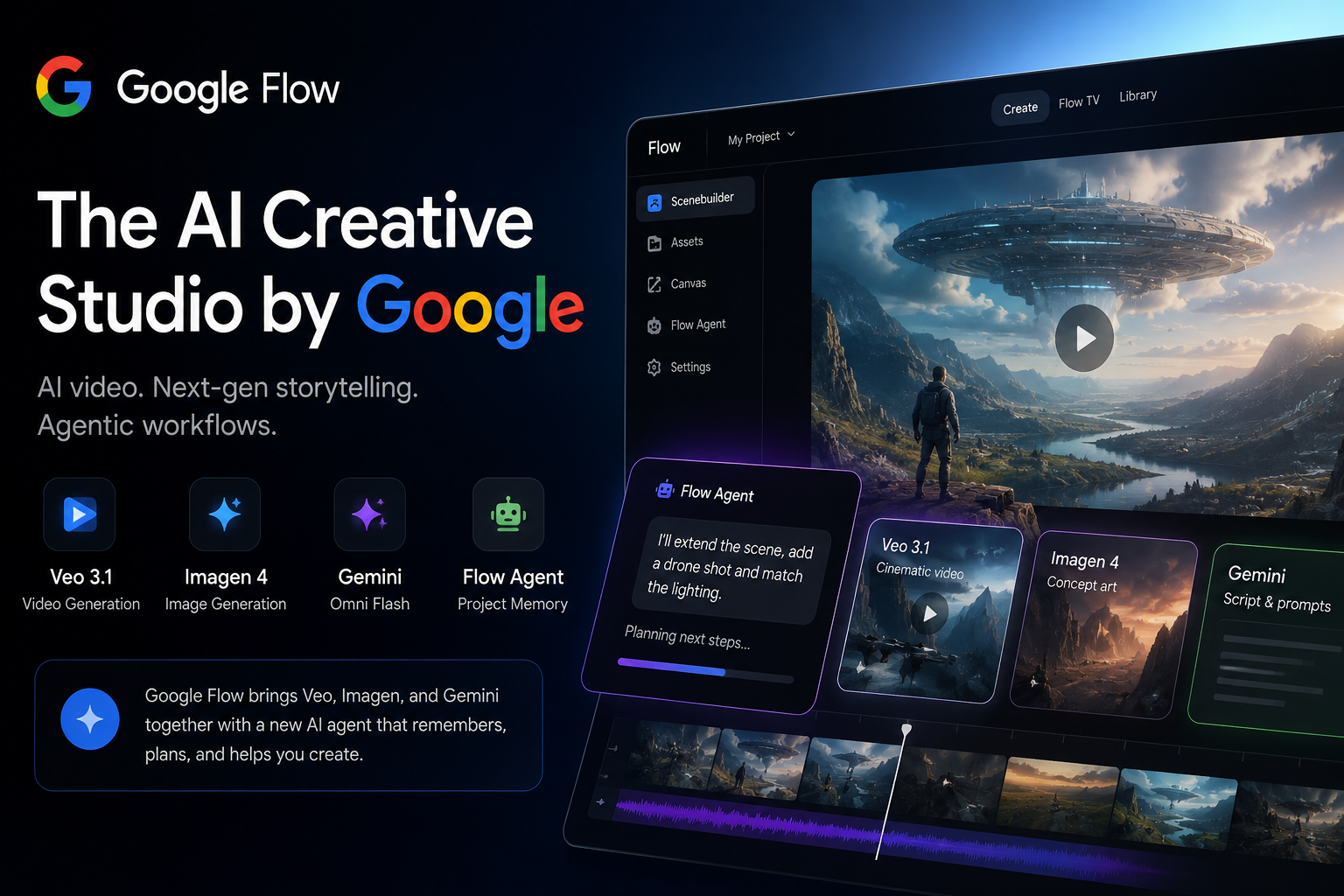
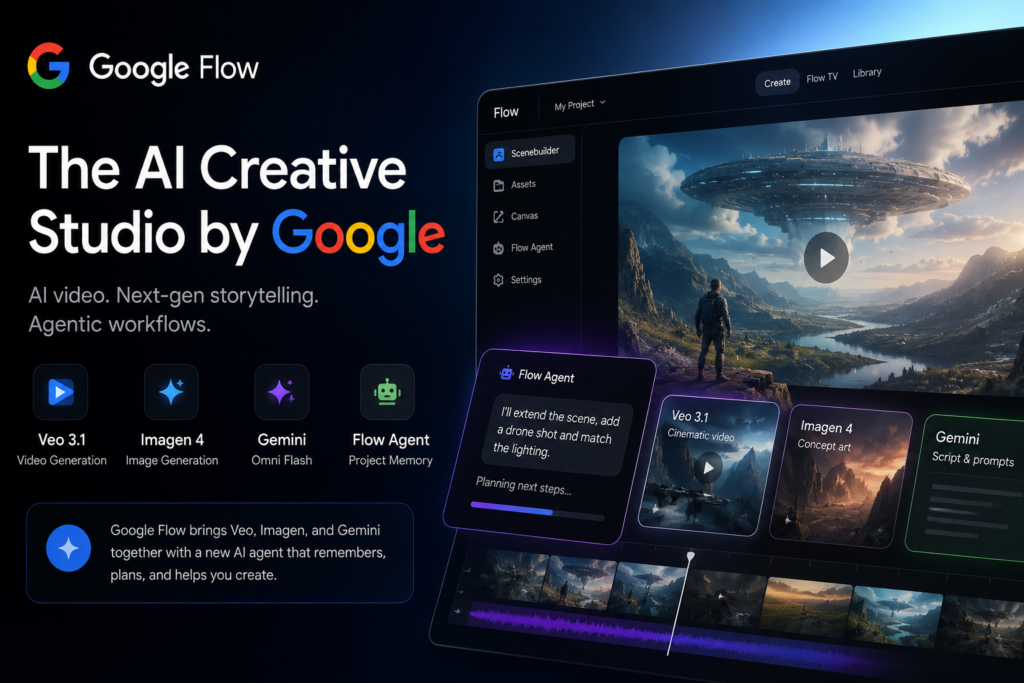
Google Flow is Google’s AI creative studio for filmmakers and video creators, powered by Veo 3.1, Gemini Omni Flash, and Imagen 4. It generates cinematic video clips, images, and audio from text prompts — and since I/O 2026, it includes Flow Agent, a Gemini-powered AI assistant that remembers your entire project, plans multi-step tasks, and acts alongside you at every stage of production. It launched at Google I/O in May 2025, Since August 2026 it also offers start/end frame control, clips up to 10 seconds, and upscaling to 1080p (subscribers) or 4K (Ultra). Available in over 140 countries. Not a text tool. Not a chatbot. A creative production environment where the agent knows where you’re going, not just what you just typed.
- Developer
- Google Labs
- Launched
- May 2025 (Google I/O)
- Major update
- Google I/O 2026
- Core models
- Veo 3.1, Omni 1.1 Flash, Imagen 4
- Max clip length
- 10 seconds
- Free credits
- 50 per day
- Upscaling
- 1080p (paid), 4K (Ultra)
- Agent
- Flow Agent (Gemini-powered)
- Custom tools
- Flow Tools (no-code)
- Availability
- 140+ countries
- Mobile
- Android beta, iOS announced
- Last updated
- Oct 2026
- 1What Google Flow is and what changed since July
- 2How Flow Agent works — and why it matters
- 3Gemini Omni Flash vs. Veo 3.1 explained
- 4Flow Tools: building workflows without code
- 5Pricing, credits and official per-clip costs
- 6Flow vs. other tools: when to use which
What Is Google Flow?
Google Flow launched at Google I/O 2025. The first version was capable enough — generate video from text, chain scenes together, adjust camera angles. Useful, but the workflow felt static.
I/O 2026 changed that significantly. Video, image, and music generation merged into one environment. More importantly, Flow Agent arrived — a Gemini-powered assistant that knows your full project, remembers previous decisions, and can suggest next steps.
Elias Roman, Google Labs VP, described the old model plainly: tools used to work like coin-operated machines — put something in, get something out. Google Flow no longer works that way.
What’s New in Google Flow (Updated October 2026)
I first wrote this guide in July. Flow has shipped two meaningful updates since then, and both change how I’d use it.
August 27: Keyframes, upscaling and cheap draft renders
- Start and end frame control. You set the first and last frame of a clip, and Flow fills in the motion between them. This is the update I’d been waiting for: shot-to-shot continuity stops being a gamble.
- 1080p and 4K upscaling. 1080p is free for any subscriber. 4K is Ultra-only and costs 50 credits.
- 360p drafts. A 10-second 360p clip costs 7 credits, against 15 at 720p. Iterate cheap, then render the take you keep.
These run on Gemini Omni 1.1 Flash. Drafts are open to everyone; upscaling needs a paid plan.
September 23: Six ready-made Flow Tools
Google Labs released six tools built on the Flow Tools platform: CaptionCast (animated multilingual captions), ThumbnailForge (social thumbnails), Mondo Sónico (sound design), Surface (architectural material visualization), CollageMotion Pro (animated collages) and SwissFlow Studio (motion graphics). Anyone can use them. Building or remixing your own still needs a subscription.
Longer clips
Omni Flash generations now come in 4, 6, 8 or 10 seconds. You still chain clips for anything longer, but 10 seconds is enough for one complete action beat.
How Does Google Flow Work?
Google Flow runs three core AI models together:
Veo 3.1
The core video generation model. Camera movement, character consistency, audio sync. Google DeepMind’s most current video production engine.
Gemini Omni Flash
The biggest I/O 2026 addition, now on version 1.1. Video, images and audio from one model, clips up to 10 seconds, and the engine behind keyframe control and the new upscaling options.
Imagen 4
Realistic characters, environments, objects. Critical for visual consistency across scenes — keeps the project’s visual language locked in from start to finish.
Flow Agent
The Gemini-powered assistant that knows the full project. Active from brainstorming to asset management. Thinks in project terms, not prompt by prompt.
The combination of these models working together is what separates Google Flow from competitors. You’re not pulling separate outputs from separate tools — everything runs in the same project environment, talking to each other.
I Tried Google Flow: First Impressions
After the I/O announcement, I opened Flow and spent a few hours actually using it — not reading the docs, just building. I expected to be most impressed by the video quality.
That wasn’t it.
The thing I kept coming back to wasn’t the output. It was the memory.
A decision I’d made for one scene — a specific lighting style, a particular character tone — was still there when I moved to a completely different scene two hours later. In n8n or LangGraph, building that kind of cross-step context takes real setup time. Here it comes by default.
Just for fun, I tried breaking the workflow on purpose. The agent still remembered things I had already forgotten myself.
Flow doesn’t replace Premiere or DaVinci. It’s not trying to. But for rough concepts and short-form experiments, it’s the most coherent environment I’ve worked with.
Flow Agent: The First Creative AI With Real Project Memory
While building agentic workflows in n8n and LangGraph, I kept running into the same problem: most AI tools drop context between steps. Every step starts clean. Stateless.
Flow Agent takes that problem into creative production — and solves it.
You can tell it in one request: “Create three versions of this opening scene — one dramatic, one lighthearted, one cinematic — and put them all in a collection called Opening Variations.” It does it. Then ask it to rename the files, archive outdated assets. It does that too.
On larger projects, this meaningfully reduces coordination overhead.
The hand-built version of what Flow Agent automates — a step-by-step guide to building agent orchestration in n8n.
Who Should Use Google Flow?
Not for everyone. But for specific use cases, there’s nothing quite like it right now.
YouTubers & Filmmakers
Short-form content, concept videos, rapid prototyping. A strong starting point for cutting down long production cycles.
Marketing Teams
Campaign visuals, social content, iterative A/B tests. Agent memory keeps brand identity consistent across scenes.
Rapid Prototyping
For anyone who needs to put an idea on screen fast. Client concepts, team alignment, quick visual decision-making.
Music & Creative Artists
With Flow Music integration, audio and visuals live in the same environment. Music production via Lyria 3 Pro, music video creation via Gemini Omni.
What Google Flow Still Can’t Do
To be honest about the limits: there are a few.
Each generation still tops out at 10 seconds. For projects requiring long scenes or full edits, Premiere or DaVinci is still necessary. The fine-cut editing tools aren’t mature either; frame-level precision work isn’t what this tool is built for.
Third-party integration is also limited. Only Google apps are supported right now — a friction point for teams already running other toolsets.
And 4K upscaling is locked to Ultra, which starts at $100/mo. That’s a serious barrier without a corporate budget.
- Project memory (cross-session)
- Built-in AI agent, no setup
- Character consistency across scenes
- Audio & dialogue generation
- Start/end frame control, 1080p upscaling
- No-code custom workflows
- Agent queries don’t cost credits
- 4K upscaling only on Ultra ($100+/mo)
- Fine-cut editing tools limited
- Only Google apps integrated
- 10-second max per generation
- Creating Flow Tools: subscriber only
- No iOS app yet (Android beta only)
Flow Tools: Bespoke Workflows Without Code
Another meaningful addition from I/O 2026: Flow Tools.
You can build your own custom tools and workflows using natural language prompts — no code required. Tools like “pixelBento,” which applies lo-fi and glitch-style post-processing effects, have already been created by the community. In September, Google Labs added six official tools of its own, including CaptionCast for captions and ThumbnailForge for thumbnails.
This shifts Google Flow from a fixed tool into a platform where you define your own workflow. From freelance video editors to corporate production teams, anyone can shape Flow around their specific use case.
Google Flow vs. Other Tools
| Feature | Google Flow | Runway | Sora |
|---|---|---|---|
| Project memory (agent) | ✅ | ❌ | ❌ |
| Audio / dialogue generation | ✅ | ⚠️ | ❌ |
| Character consistency | ✅ | ⚠️ | ⚠️ |
| Custom workflow tools | ✅ | ❌ | ❌ |
| Mobile app | ✅ (beta) | ✅ | ❌ |
| Free plan | ✅ (limited) | ✅ (limited) | ❌ |
Runway offers a more mature editing experience — particularly for working with existing footage. Sora is capable but has no project memory and limited audio support. Google Flow’s differentiator is combining video, image, and audio generation in a single agent-backed environment.
How to produce content for AI-native tools like Google Flow — a look at GEO strategy.
Google Flow Pricing and Credits
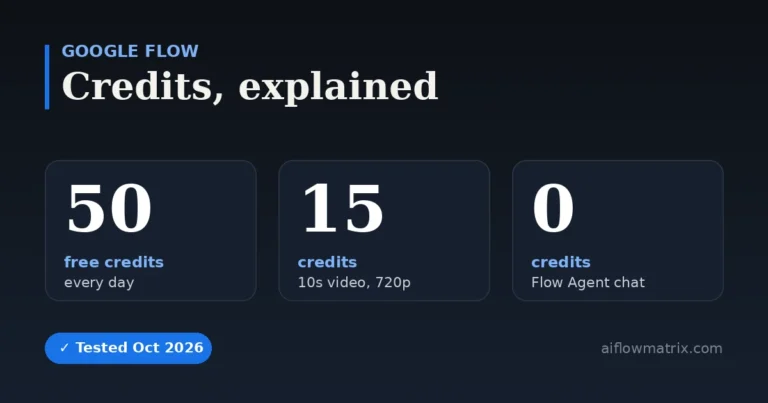
Flow runs on credits, and the numbers below come from Google’s own help pages (checked October 2026). Everyone gets 50 Flow credits a day, subscribed or not. Paid plans add a monthly allowance on top.
Prices vary by region. In Turkey, for example, Plus is TRY 199.99/mo, Pro TRY 869.99/mo and Ultra starts at TRY 1,989.99/mo, with first-month discounts on Plus and Pro.
What a generation costs
| Model / action | 4s | 6s | 8s | 10s |
|---|---|---|---|---|
| Omni Flash, 360p | 4 | 5 | 6 | 7 |
| Omni Flash, 720p | 7 | 10 | 12 | 15 |
| Veo 3.1 Lite | 10 (Ultra: 5) | — | ||
| Veo 3.1 Fast | 20 (Ultra: 10) | — | ||
| Veo 3.1 Quality (8s only) | 100 | — | ||
| Omni Flash video edit | 40, any length | |||
| 1080p upscale | 0 for subscribers, not available on free | |||
| 4K upscale | 50, Ultra only | |||
What that means in practice: a Pro subscriber gets 1,000 monthly credits plus 50 a day, about 2,500 a month. That’s roughly 160 ten-second Omni Flash clips at 720p, or about 25 Veo 3.1 Quality clips. Run out of Flow credits and Flow switches to your AI credits, a separate balance shared across Google products that subscribers can top up in most regions.
How to Get Started With Google Flow
Getting into Flow is straightforward. The learning curve isn’t in setup — it’s in learning how to prompt for cinematic output rather than just descriptive output.
- Sign in with a Google account at labs.google/fx/tools/flow.
- Choose a plan. Free works for testing. Pro is the realistic starting point for regular use.
- Create your first project and set a title — the Agent uses this as the anchor for project memory.
- Generate a scene. Use a 360p draft and x1 output while you test. Start with a short, specific prompt — camera angle, lighting, subject, movement. Vague prompts produce generic output.
- Open Flow Agent from the prompt box and ask it to build on what you just made. This is where project memory kicks in — reference your earlier choices directly.
- Iterate. Batch variations, organize collections, refine with Gemini Omni Flash. When a shot needs to land exactly, set start and end frames. The Agent tracks context as you go.
While building agentic systems in n8n and LangGraph, one thing became obvious: most AI tools lose context between steps. Every step starts with a clean slate. We end up adding memory layers manually to pipelines just to preserve what the previous step decided.
Flow Agent brings that problem into creative production — and solves it by default. A decision you made for one scene is still valid two hours later in a completely different scene. Technically that sounds minor. In a large production, it genuinely reduces coordination load.
There are still a few things I’m not sure about. The commercial use terms are a bit confusing — Google’s current language suggests subscriber-generated content can be used commercially, but I’d read the fine print carefully before publishing anything commercially. I also don’t know when long-video support is coming. And Ultra, at $100 or $200 a month, is not a realistic option for most individual creators.
October update: keyframe control fixed my biggest complaint from July. Locking the first and last frame makes chained clips actually line up, and 360p drafts cut my credit use noticeably.
My overall read: for me, it’s probably the most interesting starting point in this category right now. For moving from rough concept to scene quickly, for staying in a short-form content loop, or just for seeing what project-aware agent memory actually feels like in a real workflow. Replacing traditional post-production tools? That’s still a few years away — and I don’t think Google is pretending otherwise.
Sites that understand how AI engines read content get better visibility — including in AI-native tools like Google Flow.
Google Flow FAQ
When was Google Flow launched?
Google announced Flow at Google I/O in May 2025. The big redesign with Gemini Omni Flash, Flow Agent and Flow Tools came at I/O 2026 in May 2026.
What does the Agent do in Google Flow?
It acts as a project assistant. It remembers your characters, style and earlier shots across sessions, plans multi-step tasks like a shot list, writes prompts and organizes assets. Talking to it is free; only the generations it triggers use credits.
What do x1, x2, x3 and x4 mean in Google Flow?
That’s how many outputs you get per prompt. x4 returns four variations, and since credits are charged per generation it costs four times as much as x1. Use x1 while testing and switch to x2–x4 once the prompt works.
What’s the difference between Frames and Ingredients in Google Flow?
Frames to Video starts a clip from an image you supply, and can also end on one, so you control the composition. Ingredients to Video takes reference images of characters, objects or styles and builds the scene around them, which helps keep a character consistent.
How many videos can I make with Google Flow credits?
A 10-second Omni Flash clip costs 15 credits at 720p or 7 at 360p; Veo 3.1 Quality costs 100. The free daily 50 covers about three 720p clips. Google AI Pro adds 1,000 credits a month on top of the daily 50, roughly 160 ten-second 720p clips in total.
Why can’t I generate videos in Google Flow on the free plan?
During peak hours, roughly 2 PM to 5 PM UTC, non-subscribers may not be able to generate videos. Image generation and Flow Agent keep working, and the limit lifts after peak hours or with any Google AI plan.
Is Google Flow free?
Yes. Everyone gets 50 Flow credits a day, enough for about three 10-second Omni Flash clips at 720p. Free users can’t upscale, may be blocked from video generation at peak hours (2–5 PM UTC), and can’t create Flow Tools.
What does Flow Agent do?
Flow Agent is a Gemini-powered assistant that knows your entire project. Brainstorming, batch asset generation, file organization, style consistency — all managed through a single project memory. Agent queries don’t consume credits.
What is Gemini Omni Flash?
The multimodal model introduced at Google I/O 2026, now on version 1.1. It generates video, images and audio from a single model, keeps characters consistent across scenes, and powers keyframe control and the new upscaling options.
Does Google Flow have a mobile app?
The Android app is in beta (18+). An iOS version has been announced but isn’t out yet. The web version works on every platform.
Which countries can access Google Flow?
Available in 140+ countries. Certain models (Gemini Omni Flash) remain limited to Google AI subscribers, and regional availability may vary.
Is Google Flow available in Europe?
Yes. Google Flow is available across Europe as part of its 140+ country rollout. Some features tied to Gemini Omni Flash require a Google AI subscription, and availability of specific models may vary by region based on local regulations.
Can Google Flow generate long videos?
Not in a single generation. Each Omni Flash clip runs up to 10 seconds. Longer videos are built by extending clips or chaining scenes, and start/end frame control makes those joins much cleaner.
Can you use Google Flow commercially?
Based on Google’s current terms, content generated in Google Flow by paid subscribers can be used commercially. However, the specifics — especially around third-party model outputs — are worth reading carefully in the full terms of service before publishing or selling Flow-generated content.
Does Google Flow replace video editing software?
No — and Google isn’t positioning it that way. Flow is strong for generating rough concepts, short-form content, and rapid iteration. For fine-cut editing, color grading, or long-form post-production, tools like Premiere Pro or DaVinci Resolve are still necessary.
Sources: Google Blog — Flow Updates (I/O 2026) · Google Flow official page · Feature and pricing details checked October 2026.


4 Comments